# List memberships

**Mews Operations** uses the [List memberships operation](/loyalty-partner/api-operations/memberships.md#post-memberships-list) to retrieve current membership data for one or more customers using their `providerMembershipId` values. This operation is used in both manual and automated workflows to keep loyalty data up to date in Mews.

## Manual membership sync

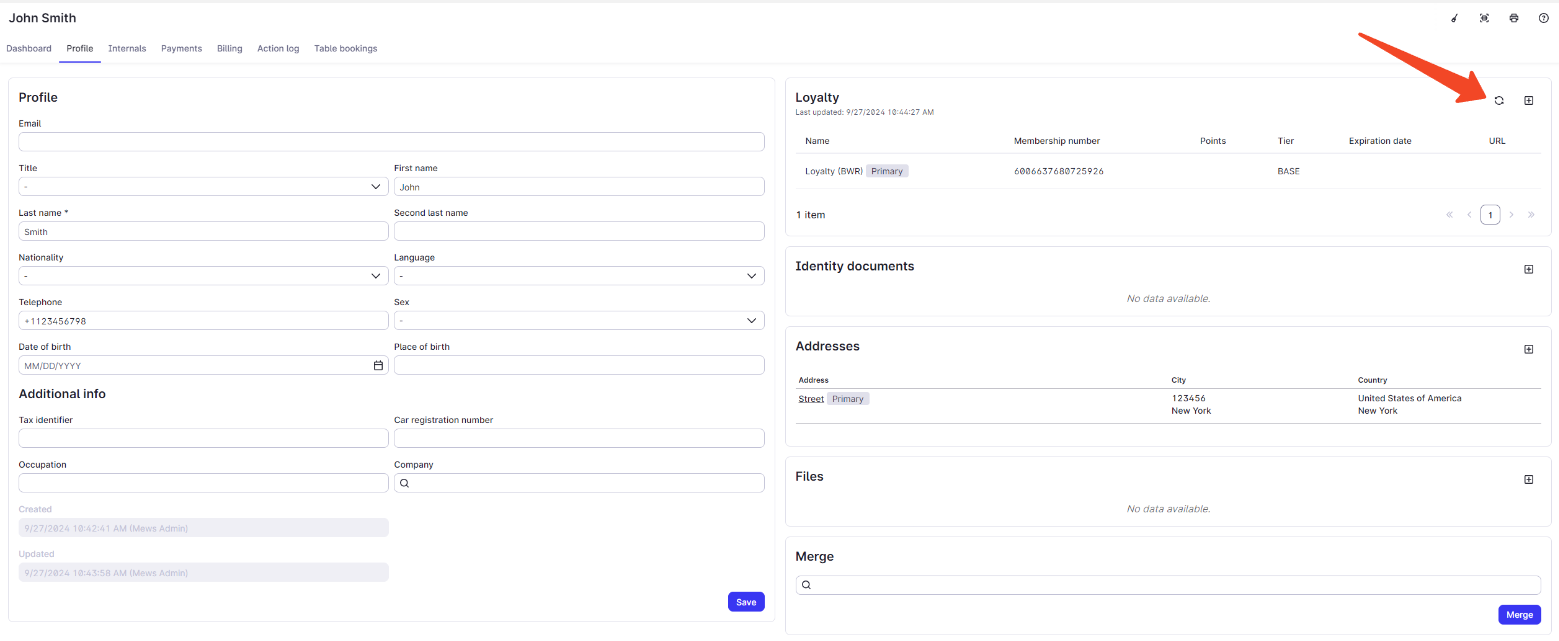
Front desk staff click **Refresh** on a customer profile that is already linked to a membership in the partner system. Mews fetches the latest membership data from the partner system.

<figure><img src="/files/rYHYHW52VXKgiHnKE2KT" alt="Screenshot of a Mews customer profile with a Refresh button to manually sync membership data from the partner system." width="563"><figcaption><p>Manual membership sync in Mews: front desk staff use the Refresh button on the customer profile to update membership details from the partner system.</p></figcaption></figure>

## Automatic membership sync

Once a day, an automated job identifies customers arriving the next day and fetches the latest membership data for each of them from the partner system.


---

# Agent Instructions: Querying This Documentation

If you need additional information that is not directly available in this page, you can query the documentation dynamically by asking a question.

Perform an HTTP GET request on the current page URL with the `ask` query parameter:

```
GET https://docs.mews.com/loyalty-partner/workflows/list-memberships.md?ask=<question>
```

The question should be specific, self-contained, and written in natural language.
The response will contain a direct answer to the question and relevant excerpts and sources from the documentation.

Use this mechanism when the answer is not explicitly present in the current page, you need clarification or additional context, or you want to retrieve related documentation sections.
